If you’re selling products online and you’re not showing up on Google Shopping, you’re missing out on a huge pool of ready-to-buy customers – every single day.
That’s not an exaggeration. People who search on Google aren’t just browsing. They’re actively looking to purchase. And Google Merchant Center (GMC) is the tool that puts your products directly in front of them, at exactly the right moment.
In this guide – inspired by our YouTube video on the Digital Solutions Zone channel – we’ll break down everything you need to know about Google Merchant Center: what it is, how it works, what’s changed in 2026, and how to start using it to grow your sales.
What Is Google Merchant Center?
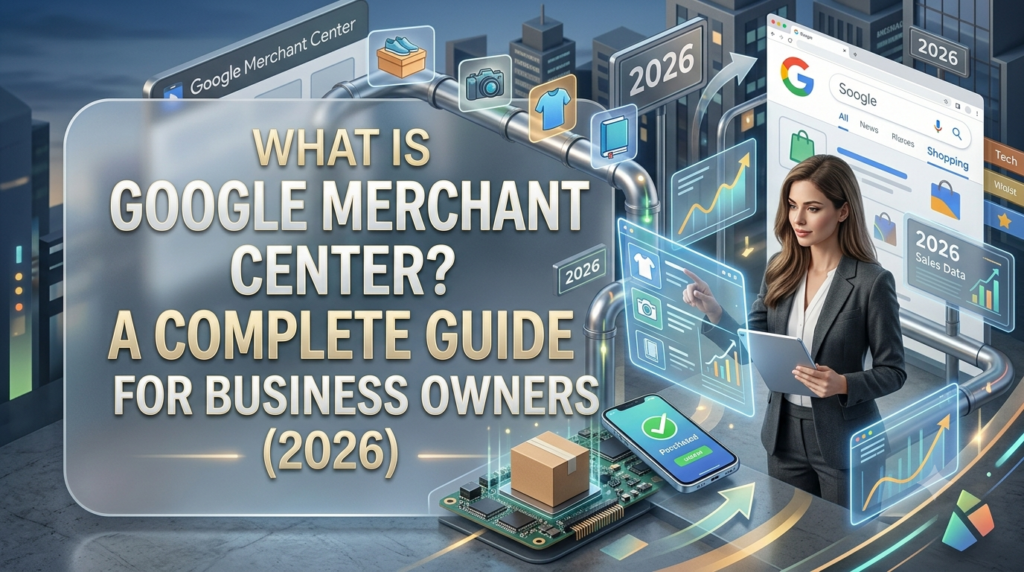
Google Merchant Center is a free platform from Google that lets you upload and manage your product information so it can appear across Google’s entire ecosystem – including Google Search, Google Shopping, YouTube, Google Maps, and Google Images.
Think of it as your product catalog headquarters on Google. You provide the details – product names, prices, descriptions, images, and availability – and Google uses that data to show your products to the right shoppers at the right time.
For example, imagine you sell handmade soy candles. Once your products are in GMC, someone searching “lavender soy candles” can instantly see your product – with a photo, price, and store name – right in the search results. No digging through pages. Just your product, in front of someone already looking to buy.
Best of all, GMC offers free organic product listings, meaning you can get visibility without spending a cent on advertising.
Why Business Owners Need GMC in 2026
The biggest difference between Google Shopping and social media comes down to one word: intent.
When someone scrolls through Instagram, they’re usually just passing time. But when someone types a product search into Google, they’re ready to buy. That’s a completely different kind of audience – and one that converts at a much higher rate.
Google handles more than 79% of global daily desktop search traffic. That’s an enormous number of potential buyers, and GMC is your key to reaching them.
Here’s why GMC is essential right now:
Reach high-intent buyers. Google Shopping users are actively shopping, not passively browsing. Getting in front of them at the exact moment they’re searching is incredibly powerful.
Run Shopping Ads that convert. Connect GMC to Google Ads and run Shopping Ads or Performance Max campaigns that show your product image, title, and price at the top of search results. If someone searches for “wireless earbuds under $50,” your ad can appear right at the top – with reviews and pricing – making it easy to click and buy.
Get free organic visibility. Without spending a single dollar, your products can appear in Google’s free listings across the Shopping tab, Search, Google Images, and Maps. Free listings generated billions of clicks globally for small businesses in 2025 alone.
Keep everything organized in one place. Prices, stock levels, promotions – all managed from one dashboard. Any update you make automatically syncs across your listings and ads.
Without GMC, you simply have no presence on Google Shopping. That’s a gap no serious seller can afford.
How It Works – Step by Step
Getting started with GMC is simpler than most people expect:
- Create your account at merchant.google.com using your Google login and fill in your business details.
- Upload your product feed – a file containing your product names, prices, descriptions, images, and availability. Platforms like Shopify and WooCommerce have built-in tools to automate this.
- Verify and claim your website so Google confirms you’re the legitimate store owner.
- Connect to Google Ads if you want to run Shopping Ads or Performance Max campaigns.
- Monitor and optimize your listings through the GMC dashboard – fixing errors and improving your product data over time.
One of our clients who sells phone accessories followed this process and, after optimizing their product feed, saw their top products appear in Google Shopping within a week – and a 35% increase in online sales within the first month.
Key Features You Should Know
GMC is more than just a product upload tool. Here’s what makes it powerful:
Free Listings – Your products can appear organically across Google Search, Shopping, Google Images, Maps, and even YouTube – completely free. Perfect for smaller businesses testing the waters before investing in ads.
Google Ads Integration – Run Shopping Ads and Performance Max campaigns to push your products to the top of search results. You only pay when someone clicks, making it cost-efficient even on a small budget.
Error Notifications – GMC automatically alerts you to issues like missing product attributes, price mismatches, or policy violations – helping you stay compliant and avoid disapprovals.
Promotions and Ratings – Display special offers and sponsored ad strategies like “20% off” or “Free shipping” directly on your Shopping listings, boosting click-through rates and building customer trust.
Important 2026 Updates
Google has made significant changes to the Merchant Center in 2025–2026. Here’s what you need to know:
AI-Powered Verification. Since April 2026, Google’s automated crawlers actively cross-reference your product feed against your live website. If there’s a price or availability mismatch, your products can get flagged or disapproved. Data accuracy is now more critical than ever.
New Image Size Requirements. Google now enforces a minimum resolution of 500×500 pixels for all product images. Products with smaller images receive warnings in the “Needs Attention” section. Aim for 1000×1000 pixels or higher for best results.
Out-of-Stock Misrepresentation Policy. If your website shows a “buy now” button for an out-of-stock product, this is now considered misrepresentation and can trigger an account review or suspension. Keep your inventory data synced at all times.
Enhanced Return Policy Requirements. From June 2026, your return policy must explicitly cover digital goods, subscription cancellations, and restocking fees.
Tips to Get the Best Results
A few smart habits will make a big difference in your GMC performance:
Write detailed product titles. Instead of “Blue T-Shirt,” write “Men’s Navy Blue Slim-Fit Cotton T-Shirt – Size M.” Specific titles match more search queries and get more clicks.
Use high-quality images. Research shows over 70% of shoppers won’t consider a product with poor photos. Clean backgrounds, good lighting, and high resolution are non-negotiable.
Keep your data consistent. The most common reason for disapprovals is a mismatch between your feed and your website. Prices, titles, and availability must match exactly.
Start small, then expand. Upload your 10 best-selling products first, get comfortable with the platform, then gradually grow your catalog.
Connect to Google Ads early. Even a small budget can generate meaningful visibility. Start with Shopping Ads and scale as you see results.
Conclusion
Google Merchant Center is one of the most powerful free tools available to online sellers – and one of the most underused. It puts your products in front of people who are actively ready to buy, gives you free organic visibility across Google’s platforms, and powers some of the most effective advertising campaigns available today.
With 2026 updates tightening data quality standards and introducing smarter AI verification, setting up GMC correctly – and maintaining it – has never been more important.
At Digital Solutions Zone, we help businesses manage Google Merchant Center, optimize product feeds, and run ad campaigns that deliver real results. If you’re ready to grow, get in touch with us today – we’re ready to help.